Account & member management
Organizational settings
General
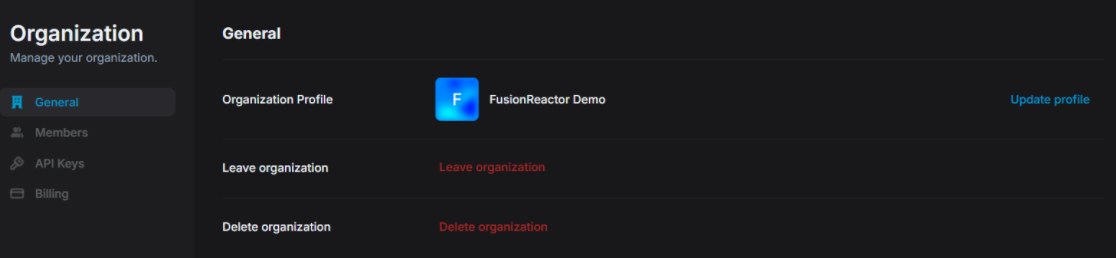
This section covers the basic organization-level settings accessible under the General tab in FusionReactor Cloud.
Organization Profile
The Organization Profile section lets you view and update your organization's name and logo, which are shown to all members across the interface.
Leave organization
The Leave organization option lets any member (except the last admin) remove themselves from the org, which immediately revokes access to all org data and requires a new admin invitation to rejoin.
Note
If you're the last admin in the organization, you cannot leave — you must either promote another member to admin or delete the organization instead.
Delete organization
Only admins can delete the organization, which permanently removes all members, data, and settings — this action cannot be undone.
Members
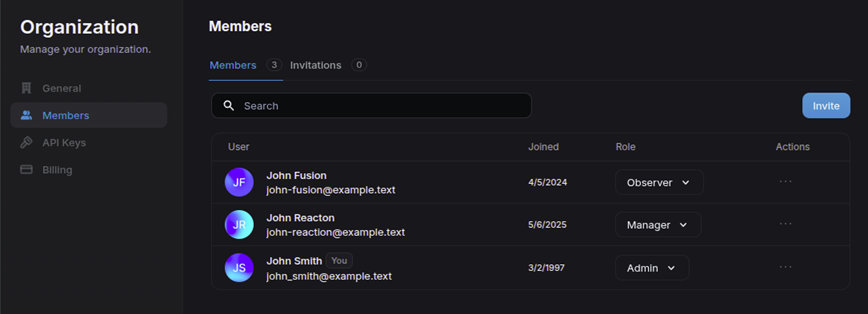
The Members tab in FusionReactor Cloud allows you to manage all users associated with your organization. You can view member details, assign roles, invite new members, and control access.
Viewing members
Each row in the Members list includes:
- Name & Email – Display name and primary email address.
- Joined – Date the user was added to the organization.
- Role – The current permission level assigned to the member.
- Actions – (⋯) menu to remove a member.
You can also:
- Use the search bar to filter members by name or email.
- Navigate through multiple pages if your org has many users.
Inviting members
Click the Invite button in the top-right to add new users:
- Enter the email address of the invitee.
- Assign a default role.
Info
Users are notified by email when invited to an organization.
Role management
Use the dropdown under Role to instantly change a member’s permission level.
Learn more
API Keys
The API Keys page allows you to manage access credentials used by services or agents to communicate with FusionReactor Cloud.
Viewing & managing keys
Each listed API key displays:
- Name – A user-defined label.
- Description – A short explanation of the key’s purpose.
- Status toggle – Temporarily enable or disable a key.
- Copy icon – Instantly copies the key to your clipboard (if visible).
- Actions menu (⋯) – Click to:
- Edit – Change the key’s name or description.
- Remove – Permanently delete the key.
Note
Deleting a key immediately revokes access for anything using it.
Creating a new key
Click + Generate to create a key. You’ll enter:
- Name (required)
- Description (optional)
Billing
The Billing section provides access to your organization's subscription details, invoices, and payment methods.
Learn more