Managing your license key
Finding your license key
Your license key is required to activate your FusionReactor instance. You can find it in two ways:
- Email: Sent shortly after your trial begins or purchase is complete.
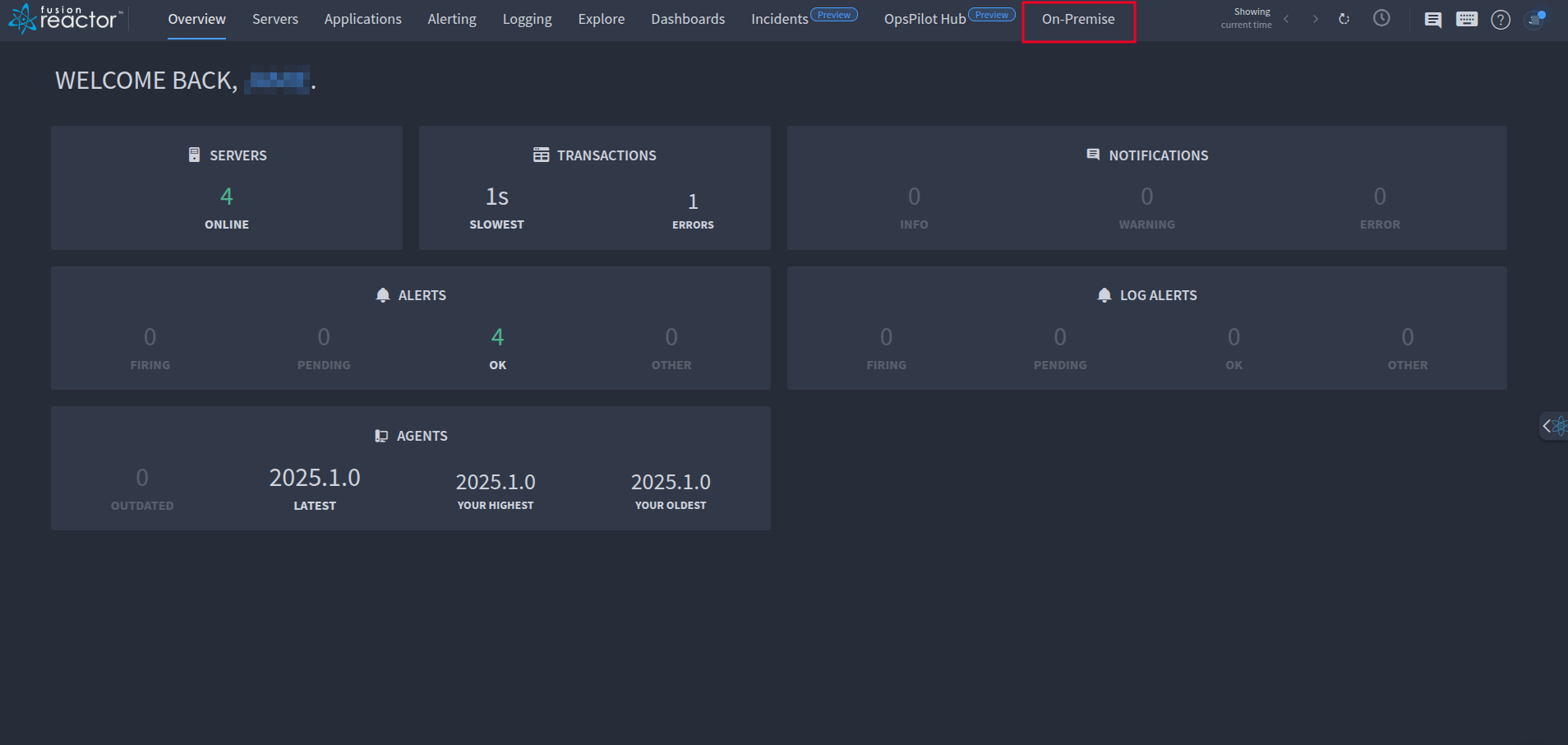
- FusionReactor portal: Log in at app.fusionreactor.io and navigate to the On-Premise tab (may require expanding the menu via three dots).
Moving a license key to another server
The steps differ slightly depending on whether your instance was automatically or manually activated.
Automatically licensed instances
When you uninstall an automatically licensed instance, the seat is freed up shortly after uninstallation. You can then use the same key on your new server.
Deactivating without uninstalling (no downtime):
If you cannot uninstall the old instance immediately:
- Open your browser and navigate to
localhost:8088. - Go to the About page and click Deactivate.
- The seat is freed immediately - no server restart required.
Manually activated instances
- Open your browser and navigate to
localhost:8088. - Go to the About page and click Manual Activation.
- Follow the on-screen instructions to generate a Deactivation Code.
- On an internet-connected machine, go to https://fusion-reactor.com/manual/ and complete the deactivation using the code.
Activating on the new server
Once the license is deactivated, enter your license key during activation on the new server.
Temporary license for overlapping uptime
If both old and new servers need to run simultaneously during migration, contact the Sales team at sales@fusion-reactor.com to request a temporary license key.
Checking license seats & usage
If you encounter a "No seats available" error, your license has reached its seat limit.
Each FusionReactor license seat allows:
- Up to 4 instances per seat.
- All 4 instances must be on the same server (host).
Activating on a different host, or accidentally launching more than 4 instances on the same server, will exceed your seat count.
How to check usage
- Log in at app.fusionreactor.io.
-
Click On Premise in the top navigation bar.
-
Review your licenses, total seats, and usage across servers.

-
Click View Activations next to a license to see which servers are using seats and how many instances are running on each.
